KlickTipp Essentials: Clean Tags, Smart Automations
Many people don’t struggle with KlickTipp because it lacks features.
They struggle because they’re not confident they’re using it correctly.
If you’ve ever thought:
- “My tags feel messy.”
- “I have automations, but I don’t fully trust them.”
- “I’m afraid to change anything because I might break something.”
You’re not alone.
In my experience, most KlickTipp users don’t fail at the tool itself — they fail at structure. Tags pile up, automations become fragile, and confidence erodes because it’s unclear whether the system is working by design or by accident.
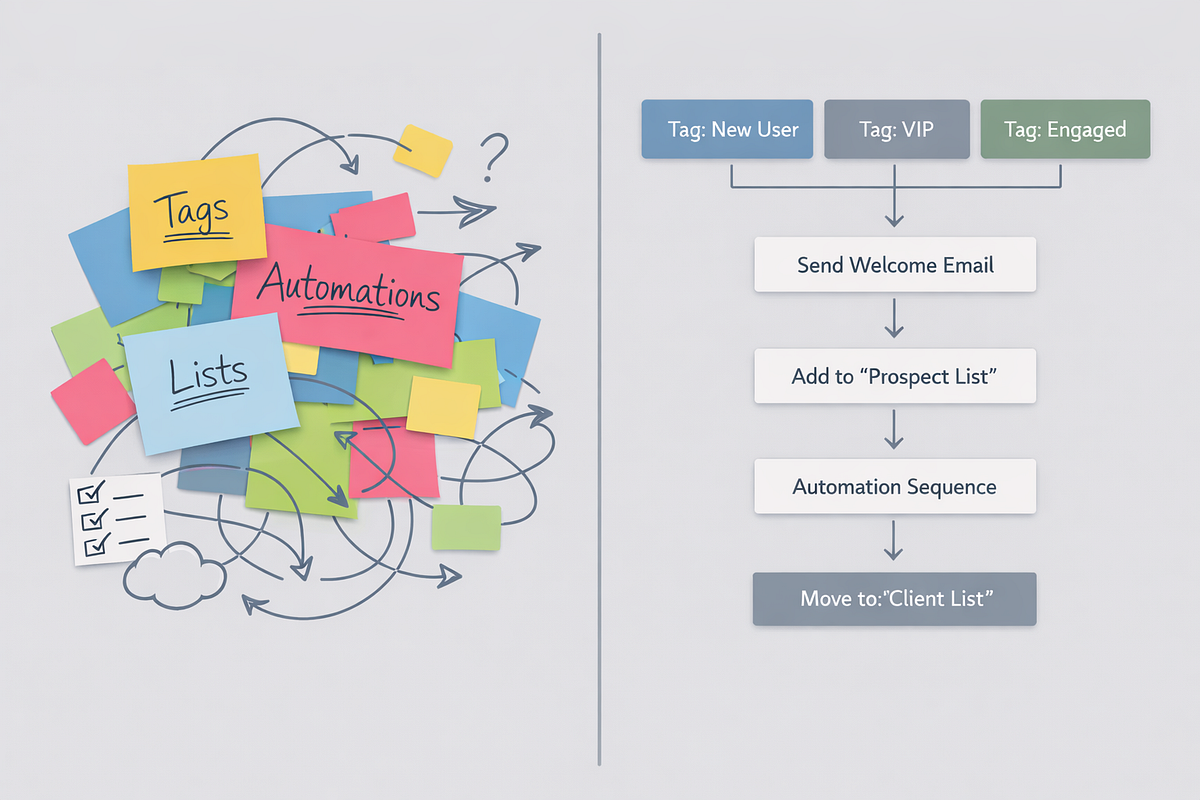
This article is not a feature tour.
It’s a practical guide to KlickTipp Essentials: the foundational mindset and non-negotiable setups that determine whether your account stays clean and scalable — or quietly turns into chaos.
What “KlickTipp Essentials” Actually Means
When I talk about KlickTipp Essentials, I’m not referring to every option in the menu or every advanced automation trick.
I’m referring to:
- The thinking model KlickTipp expects
- The structural decisions you must make early
- The core setups that everything else depends on
These essentials deliberately exclude:
- Fancy edge cases
- Overengineered workflows
- Copy-paste templates without intent
If you get these fundamentals right, KlickTipp becomes predictable, powerful, and easy to scale. If you skip them, even simple changes become risky.
The Real Problem: Structure, Not Features
Most existing KlickTipp users already know how to create tags, automations, and forms. That’s not the issue.
The issue is uncertainty.
Tags feel accidental instead of intentional.
Automations exist, but no one is quite sure why.
And every modification feels like it might trigger something unexpected.
This usually starts in the first 30–60 days.
The 5 Most Common KlickTipp Mistakes in the First 30–60 Days
1. Treating Tags Like Labels Instead of Logic
Many users create tags as descriptions:
- “Webinar”
- “Lead”
- “Customer”
The problem is that descriptive tags don’t do anything.
In KlickTipp, tags are not labels. They are decision points. They control entry, exit, segmentation, and automation behavior. When tags don’t represent logic, automations become unpredictable.
2. Building Automations Before Defining Structure
It’s tempting to start automating immediately.
But without naming conventions, entry rules, and exit conditions, workflows become fragile.
The result is:
- Overlapping automations
- Unclear dependencies
- Fear of touching anything
Structure must come before automation.
3. Never Removing Tags
Tags are added constantly — but rarely removed.
Over time, contacts accumulate contradictory states:
- “Interested” and “Not interested”
- “Prospect” and “Customer”
This destroys segmentation and makes intent impossible to interpret. KlickTipp depends on clean states, not historical clutter.
4. Copying Setups Without Understanding Intent
Templates and tutorials can be helpful — but only if you understand why a tag exists and when it should change.
Without that understanding:
- Systems work until they don’t
- Debugging becomes nearly impossible
- Confidence drops sharply
5. Expecting KlickTipp to Feel Easy at First
KlickTipp feels strict early on — and many assume that’s a flaw.
It’s not.
The strictness is a design feature. It prevents silent data decay, which is common in more permissive tools. KlickTipp rewards clarity early and punishes improvisation later.
The 6 Non-Negotiable KlickTipp Essentials
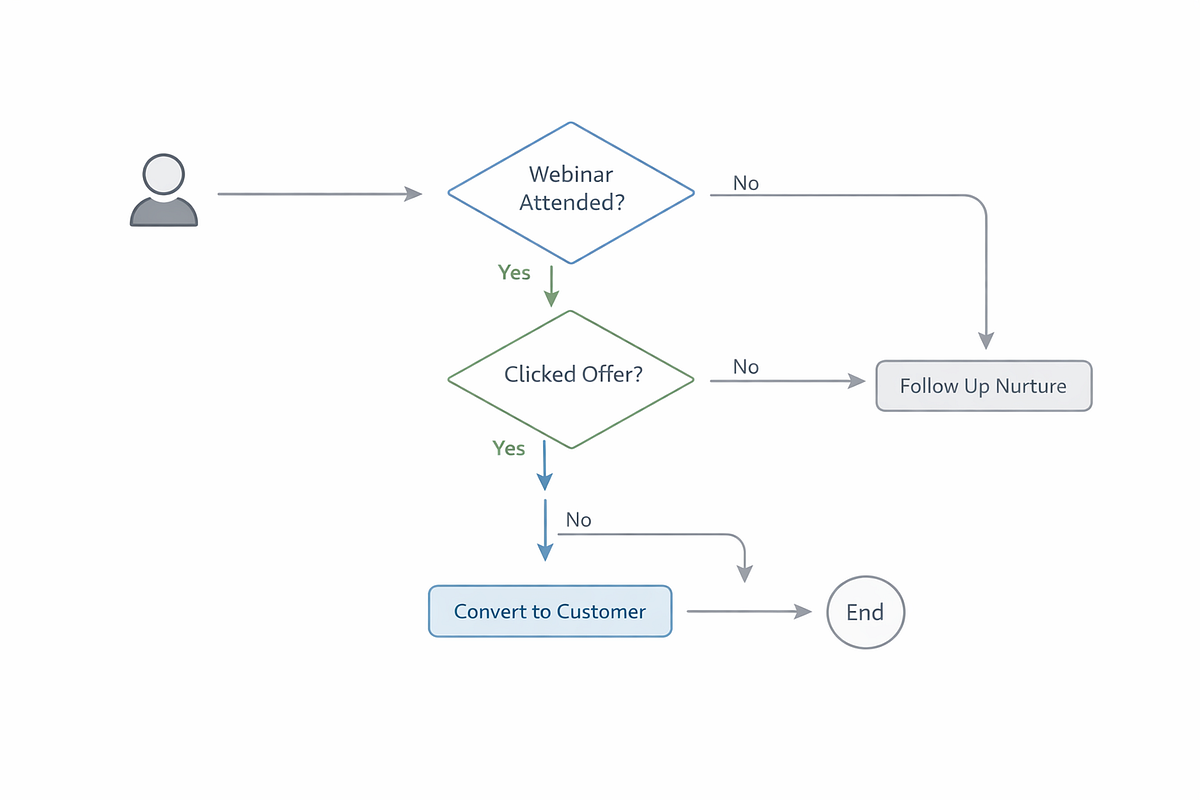
1. Tags as Decision Logic
Every tag should answer one question:
“What decision does this enable?”
Tags should trigger automations, define states, or control segmentation. If a tag doesn’t actively influence behavior, it probably doesn’t belong.
2. Clean, Intent-Driven Naming Conventions
Poor naming makes even good systems unusable.
Names should include intent and context, for example:
Lead_Webinar_July2025State_CustomerAction_WelcomeSent
Clear naming reduces errors, speeds onboarding, and makes scaling possible.
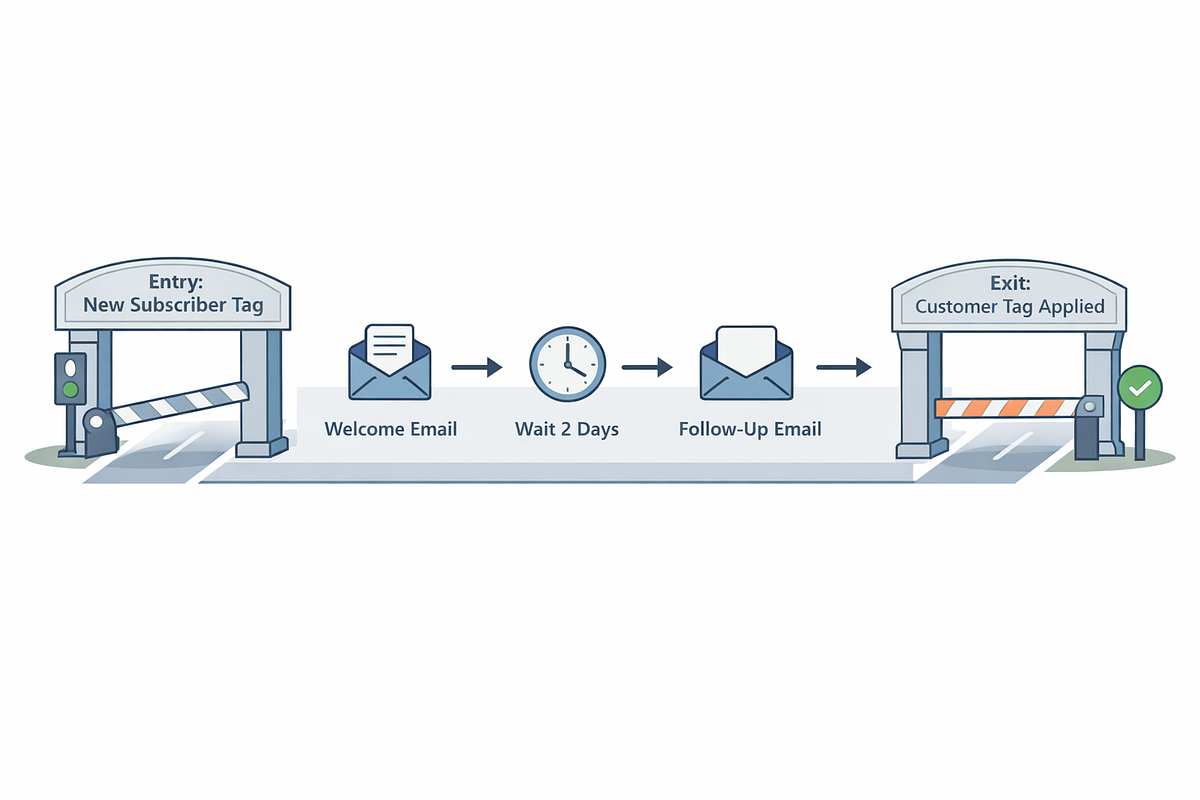
3. Explicit Entry and Exit Rules
Every automation needs:
- A clear entry condition
- A defined exit condition
Without exits, contacts get stuck. Without clear entries, automations overlap. KlickTipp thrives on explicit rules.
4. SmartLinks for Behavioral Tracking
SmartLinks allow you to track intent beyond opens and clicks.
They enable:
- Conditional follow-ups
- Interest-based segmentation
- Reliable engagement signals
Used correctly, SmartLinks are one of KlickTipp’s most powerful — but underused — features.
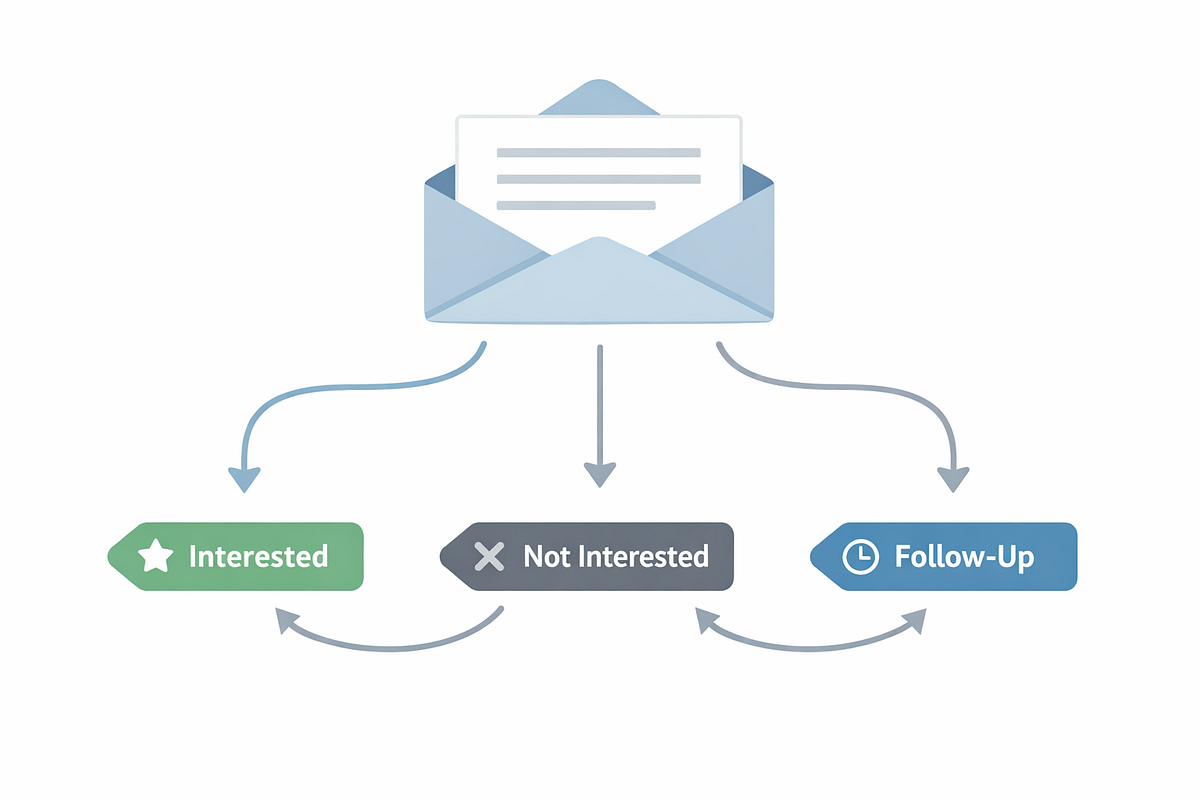
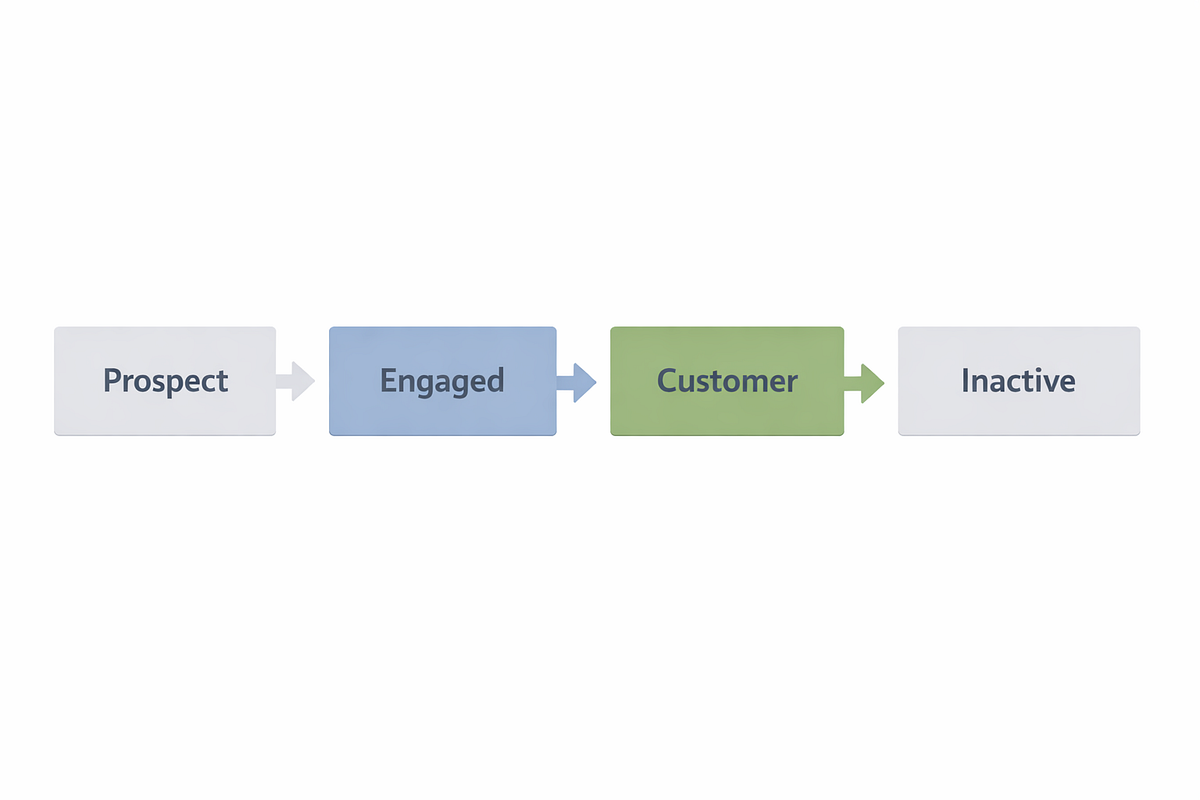
5. Subscriber State Awareness
KlickTipp works best when each contact has a current state, not just a history.
Examples:
- Prospect
- Engaged lead
- Customer
- Inactive
State tags should replace old ones automatically. This keeps segmentation clean and logic reliable.
6. Minimalist, Goal-Driven Automations
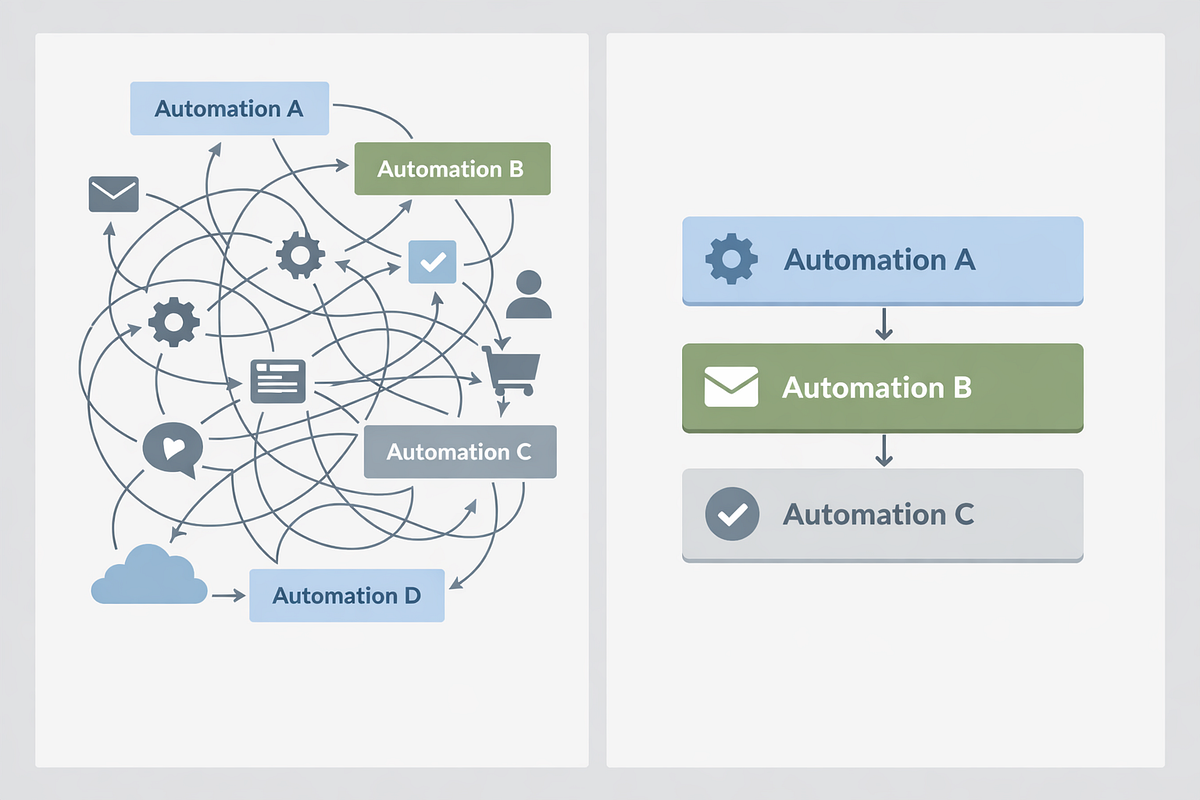
Complexity does not equal sophistication.
Every automation should have one goal. Mixing onboarding, sales, and re-engagement in a single workflow creates confusion and maintenance problems.
Less automation, done intentionally, delivers higher ROI.
The First Automation Everyone Should Build
The Welcome & Onboarding Sequence
This is the highest-ROI starting point — and the best way to learn KlickTipp fundamentals.
Why it works:
- Converts new subscribers quickly
- Teaches tag logic, entry/exit rules, and state management
- Forms the foundation for all future automation
Core structure:
- Entry via form or import
- Immediate welcome email
- 2–3 value emails with conditional links
- Engagement confirmation
- Exit into a clear subscriber state
This single automation teaches nearly everything that matters.
High-ROI KlickTipp Workflows That Actually Matter
Across dozens of client implementations, four workflows consistently deliver results:
- Welcome & Onboarding Sequences
- Lead Magnet + Segmentation Funnels
- Webinar / Event Follow-Ups
- Customer Lifecycle & Re-Engagement Automations
These workflows rely on intent-driven tags, clean states, and simple logic — not fancy features.
Real-World Results: What Structured KlickTipp Setup Delivers
Coaching Client: Onboarding Automation
- Open rates increased from ~15% to 45%
- Click-through rates doubled
- Manual email work reduced by 80%
E-Commerce Brand: Segmented Lead Magnet Funnel
- Email-driven sales increased 35% in 60 days
- Unsubscribes dropped 25%
- List management time is reduced by hours per week
SaaS Client: Webinar Follow-Up Automation
- Webinar-to-customer conversion increased from 5% to 15%
- Follow-ups fully automated
- Errors and missed opportunities eliminated
The pattern is consistent: clarity and structure outperform complexity.
When Things Go Wrong: KlickTipp Rescue Cases
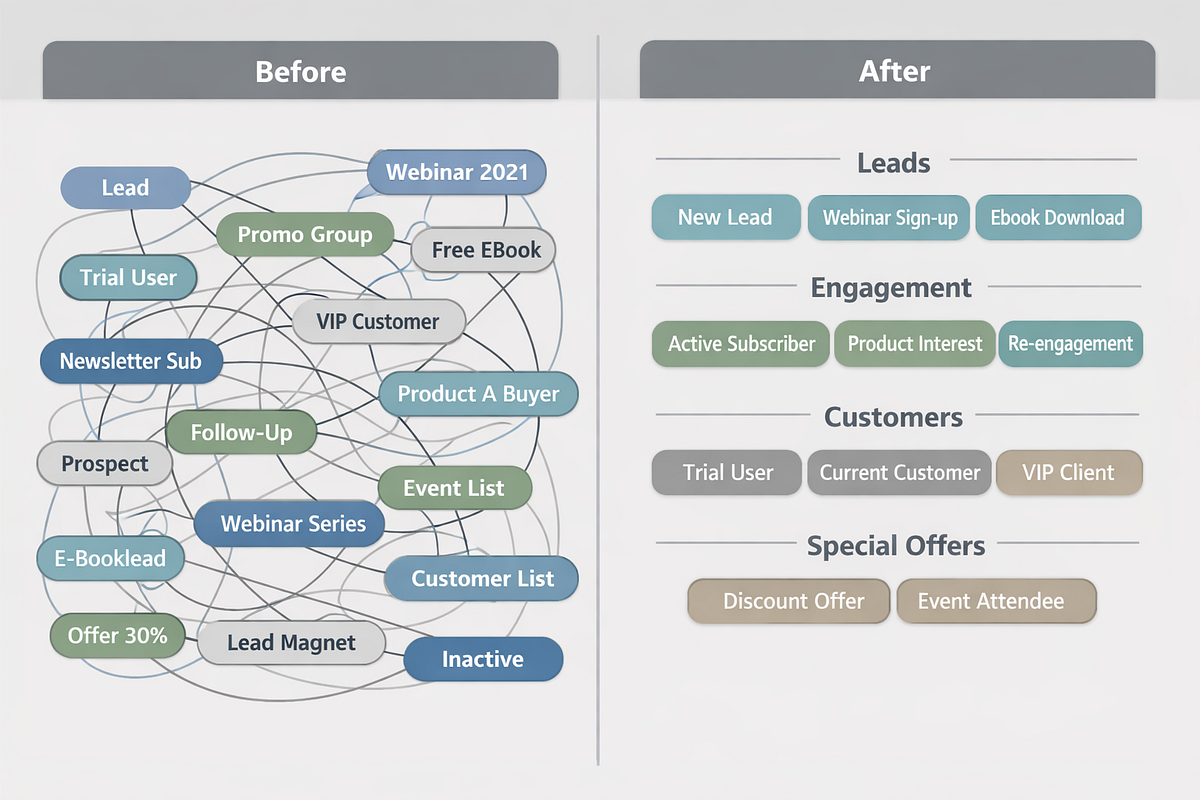
I’ve seen systems with 150+ tags, overlapping automations, and teams afraid to touch anything.
The fix is rarely technical.
It’s almost always:
- Auditing tags by intent
- Merging duplicates
- Enforcing clean states
- Rebuilding automations with explicit logic
Once structure is restored, confidence returns — and scaling becomes possible again.
A Controversial Opinion (That Matters)
KlickTipp isn’t about having the most features.
It’s about thinking correctly.
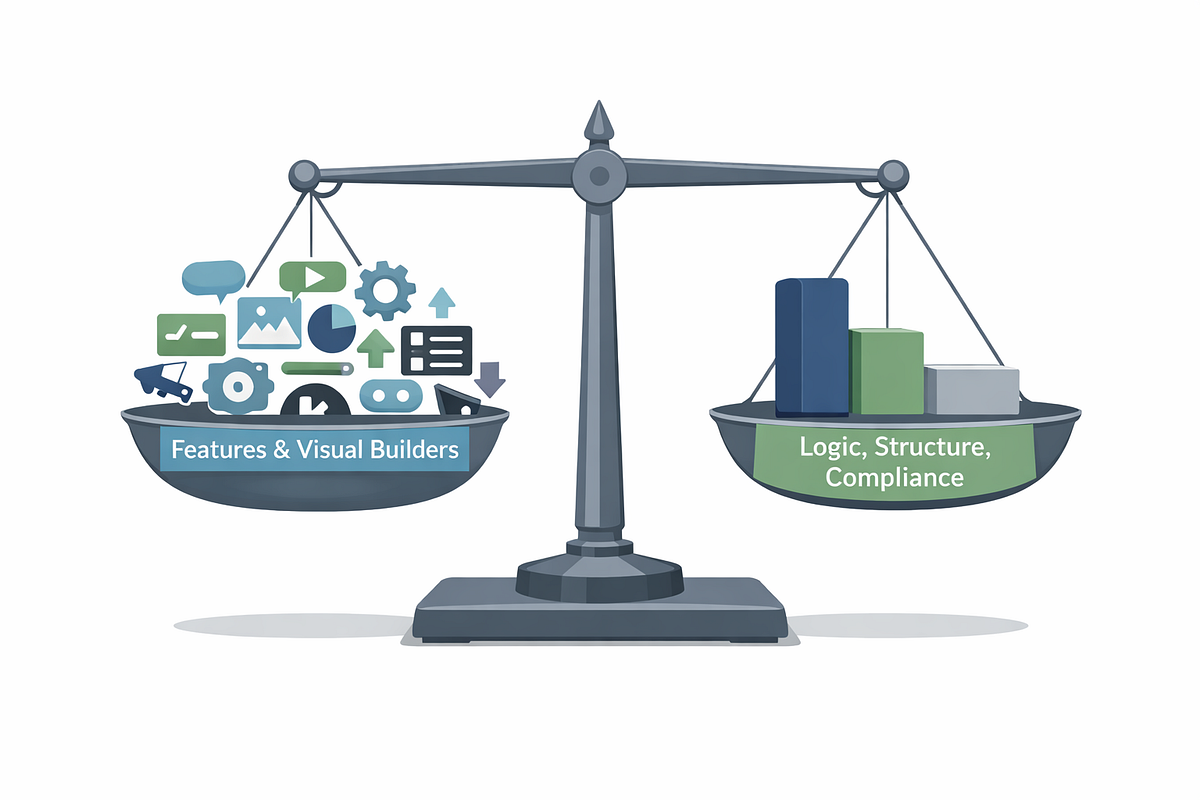
Many tools prioritize visual builders and speed. KlickTipp prioritizes discipline, clarity, and data integrity.
In my experience, people who try to “click their way to automation” fail faster than those who invest time in thinking through tags, states, and logic.
KlickTipp rewards discipline — not shortcuts.
Popular “Best Practices” I Disagree With
- Creating endless lists instead of using tags
- Automating everything immediately
- Prioritizing email design over automation logic
In KlickTipp, doing less strategically beats doing more haphazardly.
When KlickTipp Is Not the Right Tool
KlickTipp is powerful — but it’s not universal.
I would not recommend it for:
- Businesses needing a full CRM
- Teams that require visual automation builders
- One-off campaigns without a long-term strategy
- Large enterprises with complex permissions
Choosing KlickTipp should be a strategic decision, not a default.
Final Thought: Essentials Before Scale
The real power of KlickTipp doesn’t come from advanced features.
It comes from thinking in tags, states, and intent.
If you master these essentials, KlickTipp becomes:
- Predictable
- Scalable
- Low-stress
And most importantly, you regain confidence in your system.
That confidence is what allows real growth.


Comments
Post a Comment